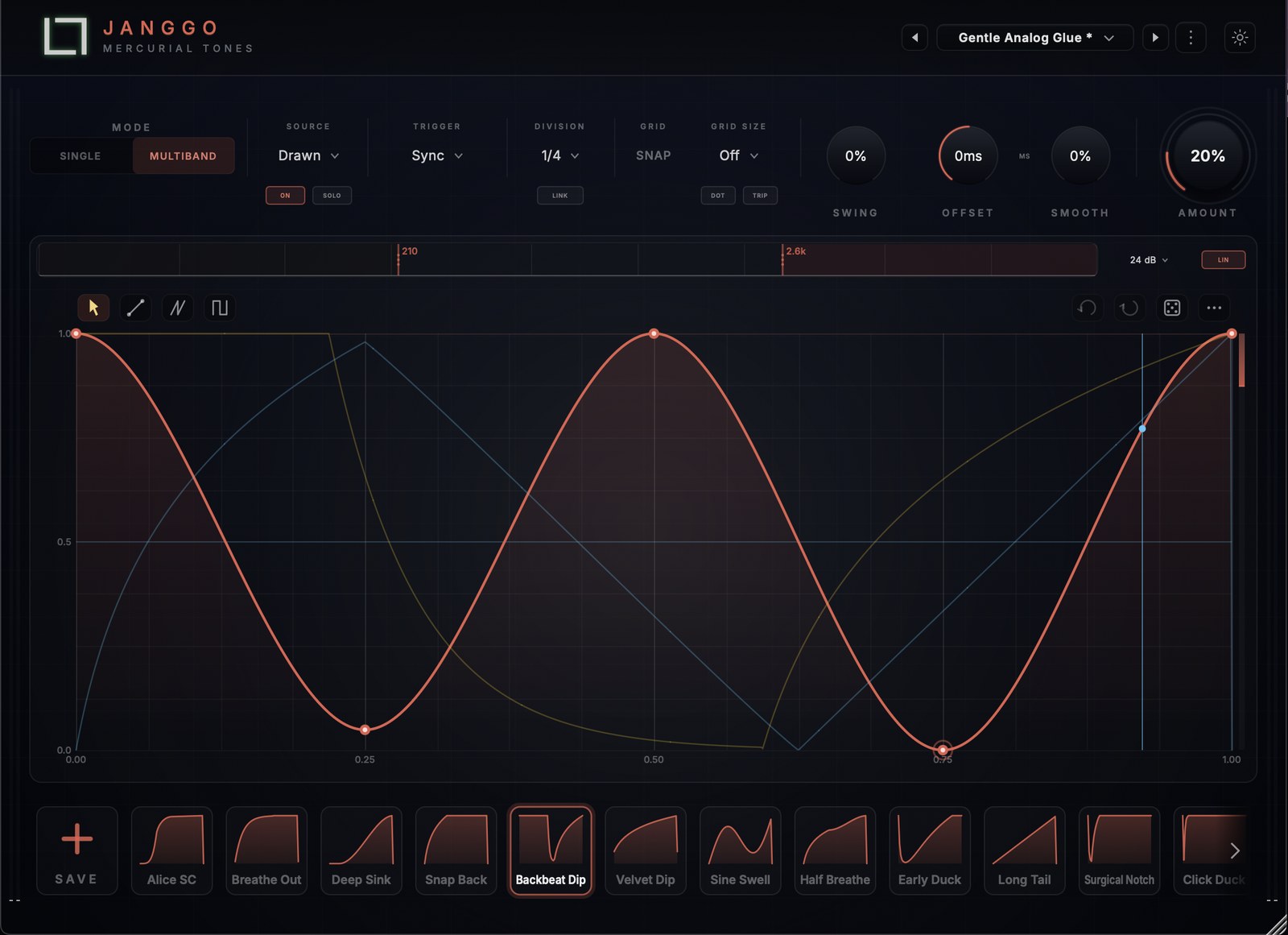
Hear the space open and close.
The Interface
Draw the exact shape of your volume and lock it to the beat — ducking, gating, tremolo and sidechain pumping, all from one hand-drawn curve, independently on every band.
Runs As VST3 / AU / Standalone In
01 — Shape
Sketch the exact curve of your volume by hand — add, move and remove nodes, bend the tension between them, snap to the grid. Ducking, gating, tremolo, swells: if you can draw it, Janggo plays it.
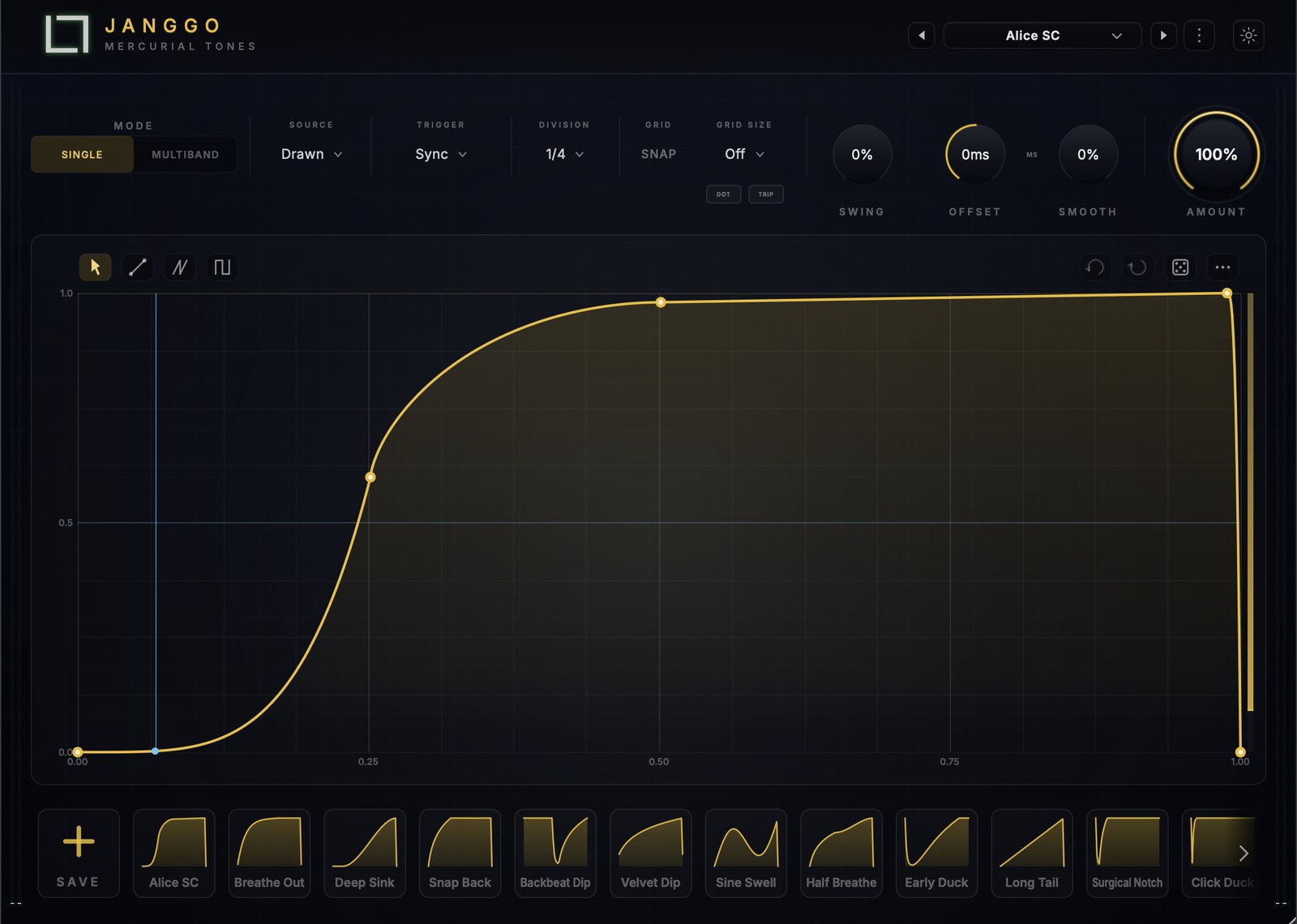
Click to add points, drag to move them, double-click to remove. Build anything from a soft sidechain dip to a sharp rhythmic gate — the whole shape is yours to draw.
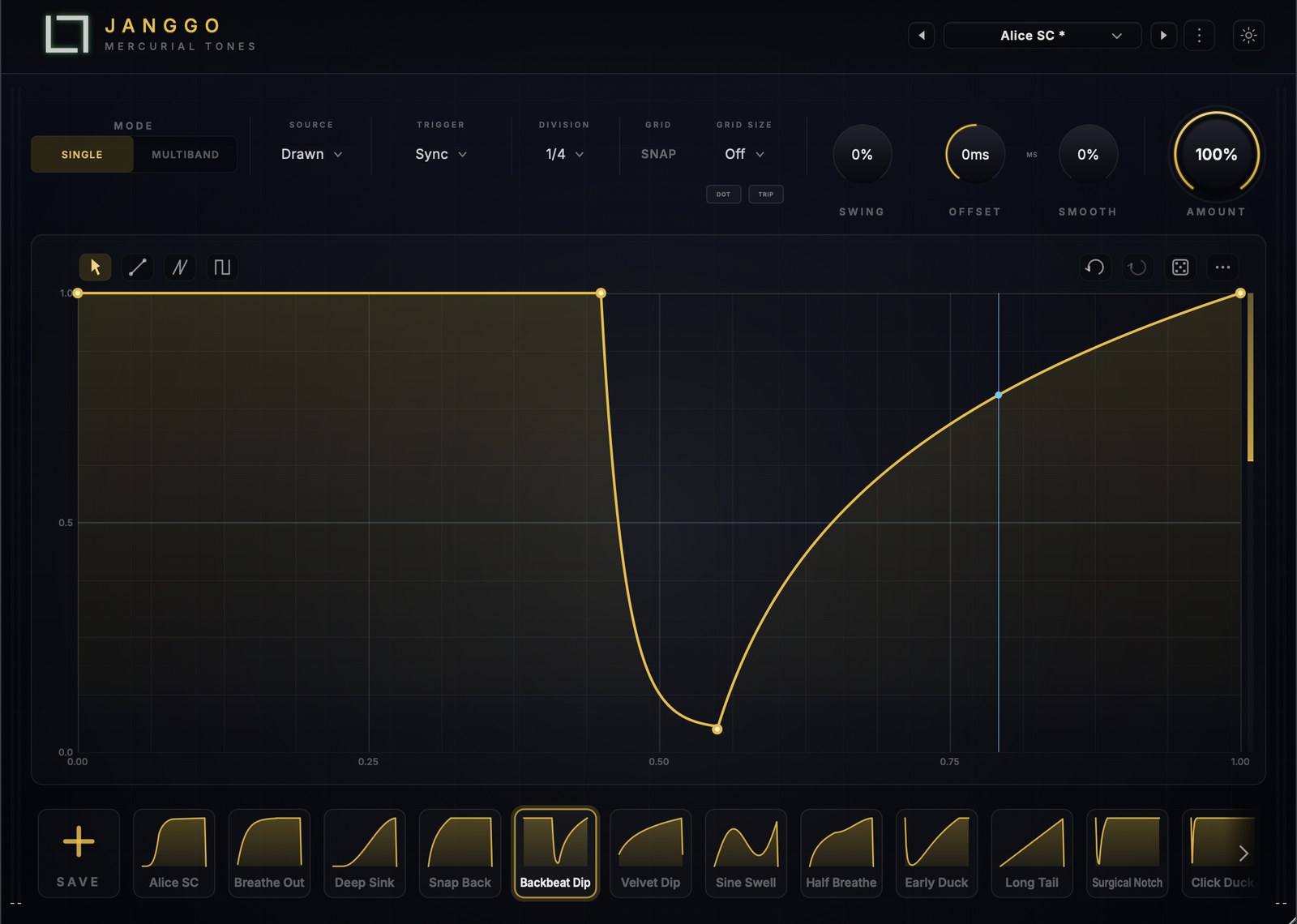
Bend the segment between any two nodes from a hard corner to a smooth ease. Dial the exact attack and release feel of every dip without touching a number.
Lock nodes to musical divisions for tight, quantised shapes — or switch snap off for loose, hand-drawn movement that breathes with the track.
A playhead sweeps the curve in time, so you always see where in the shape the beat is. Draw against the groove, never blind.
02 — Sync
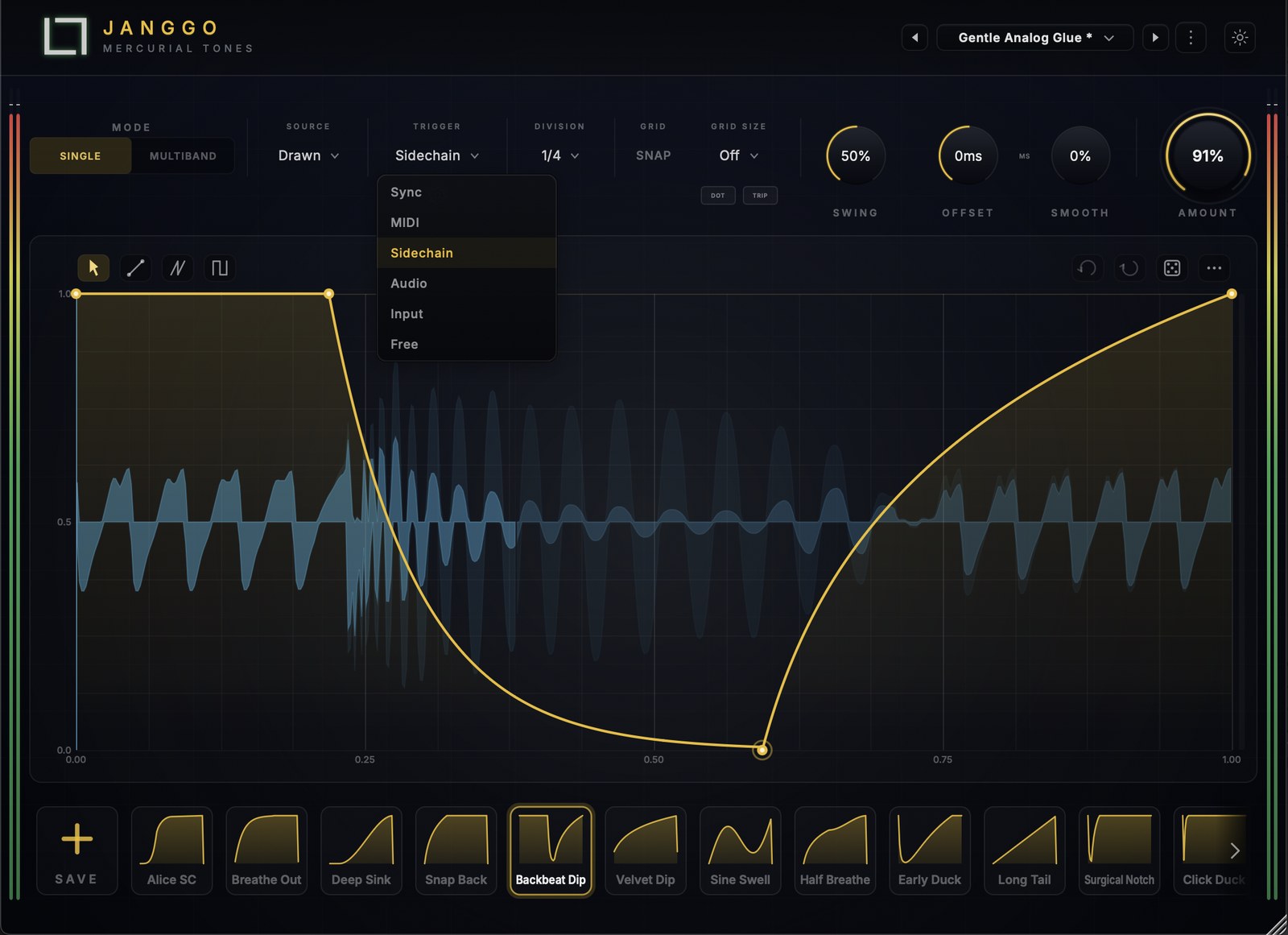
Sync every cycle to host tempo across a full division set — eight bars down to 1/64, straight, dotted and triplet — add swing for feel, and choose how each cycle fires: six trigger modes for six kinds of movement.

Cycles lock to host tempo across the full division set, from an eight-bar wash to a 1/64 triplet flutter — the grid follows the active division.
Push the off-beats late for groove. The whole shape breathes with a human limp instead of a rigid metronome.
Sync locks to the transport, MIDI fires from notes, Sidechain keys off the SC input, Audio and Input detect onsets and levels in the signal, and Free runs free at its own rate in Hz.
Fire the shape One-Shot, Loop it while held, or Release on note-off — with velocity routed to depth (Amount) or held Fixed.
03 — Bands
Split into LOW, MID and HIGH with dual crossovers, then give each band its own drawn curve, its own trigger and its own depth. Pump the lows while the highs stay open — true multiband volume shaping.

LOW, MID and HIGH each carry a fully independent hand-drawn shape. Duck the bass on the kick while the top end rides untouched.
Each band picks its own source, trigger and depth. Sync the lows, onset-detect the highs — three rhythms running in one instance.
Dual crossovers at 12/24/48 dB — zero-latency IIR for tracking or true linear-phase for mixing — with a live spectrum analyser, a draggable crossover graph and per-band solo.
Gold lows, blue mids, coral highs — the whole interface follows the band you're editing, so you always know where you are.
04 — Follow
Beyond the drawn curve, Janggo follows real input — a built-in envelope follower ducks from the signal with threshold, attack and release, and a live gain-reduction trace. Trace a shape from any audio file, and reach for 210 presets.

Switch a band from drawn to follow and it ducks from the input itself — classic sidechain pumping with threshold, attack and release.
A live trace draws exactly how much level is being pulled back, so you can see the duck as clearly as you hear it.
Drop a WAV, AIFF, MP3 or FLAC onto the editor — or record a sidechain loop — and Janggo traces an inverted ducking curve from it. In multiband it splits the file and traces each band.
Start fast with 210 curated shapes — pumps, gates, stutters and swells — then save your own to the library.
Technical
System RequirementsWindows 10 64-bit or macOS 11 or later · Apple Silicon & Intel · 8 GB RAM
Free Product
Free
Claim once · Install through Hub · Free updates
After checkout, install and activate Janggo through the Mercurial Tones Hub · macOS & Windows