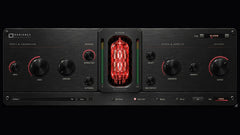
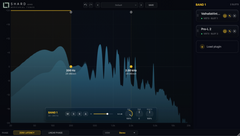
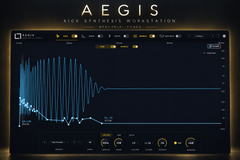
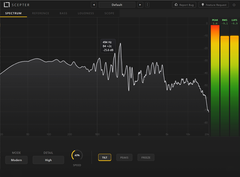
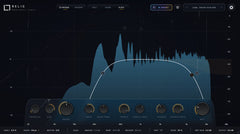
The Interface
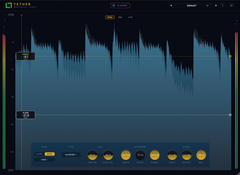
Draw a line on the loudness. Everything above it is eased down, everything below is lifted up, elastically pulled to the level you set. Below the floor, the pull lets go.
Runs As VST3 / AU / Standalone In
01 · The Line
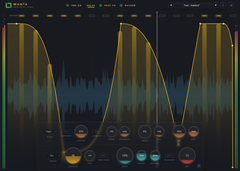
Draw one horizontal line across a big scrolling loudness view. That line is your output level, no threshold, no ratio, no makeup gain. The detected loudness is pulled toward it in real time, so a whole take lands where you want it and holds.
Whatever level you draw is where it sits. There is no makeup stage to chase afterwards.
Signal above the line eases down, below it lifts up, each by a fraction of its distance. From a gentle nudge to a hard two-way limiter.
Peak, RMS or K-Weight. Track loudness the way the material needs, from sharp transient control to program level.
The canvas draws two real, latency-aligned traces, your raw level and the processed result, so you always see what the pull is doing.
02 · The Pull
Set how hard it pulls from each side, then decide where correction concentrates and how it moves. Focus biases the pull toward small slips or big swings, and the Natural Engine gives it musical, program-dependent motion instead of a static knob.
Independent strength for lifting quiet passages and taming loud ones, from transparent all the way to fully glued to the line.
Squeeze gentle drift, hold big peaks firmly, or apply the pull evenly across the whole range.
A program anchor with macro/micro split and crest-adaptive ballistics keeps fast material punchy and slow material smooth, with no pumping. Source modes for Allround, Drums, Bass and Vocal tune the response.
Blend in the delayed dry path for parallel weight, cap total gain up to 24 dB, and trim input and output by ±12 dB.
03 · The Floor
Below the floor line the upward pull is released, so breaths, bleed and room noise are never dragged up to the target. A smooth knee fades it out with no pops, giving you a built-in soft gate that is part of the same gesture.
The floor region is a gentle downward expander, so the quiet between phrases stays quiet instead of rising as hiss.
The floor sits up to five decibels below Target with a five-decibel knee that fades the pull smoothly, with no discontinuity and no clicks.
A predictive gain guard and ten-millisecond lookahead stop transients from sailing through a boosted quiet passage.
The dry path is delayed to match, so parallel blends stay phase-aligned and latency is reported to the host and compensated.
04 · AI Assist
Not sure where to start? Press AI Assist, play a few seconds of your track, and Tether analyzes it through its own engine, then hands you real Target, Floor, Pull, Focus, Speed and Range settings to build from.
Click once and play up to eight seconds of representative audio. You pick the source mode, it does the rest.
Candidate settings are rendered through Tether's actual DSP, not matched to a preset library, so the result is measured rather than guessed.
It suggests a signal-dependent subset of Target, Floor, Low and High Pull, Focus, Speed and Range, and never adds parameters or keeps adapting behind your back.
A clear listening and analyzing state with a Stop button any time. Your current settings are kept until you choose to apply the result.
Technical
System RequirementsWindows 10 64-bit or macOS 11 or later · 64-bit Intel/AMD or Apple Silicon · 8 GB RAM
Launch Price
€49,00€39,00
One-time · Free updates