Linken
Loud, clean and ready for release.
A mastering limiter with eight modes. Linken brings your track up to its loudness target and keeps every peak under the ceiling, and its display shows what the limiter does, hit by hit.
Black Friday price €55,30 · applied at checkout
Or get all 18 plug-ins for €199,90 · Complete Bundle →
Check your inbox in a few minutes.
If this address already has a Mercurial Tones account, your Linken trial link is on its way. Nothing there? Check the spelling and try again.
14-day free trial of the full version · macOS & Windows
Turn it up until it is loud enough.
Every peak stays under the ceiling.
The interface
One window from first listen to export.
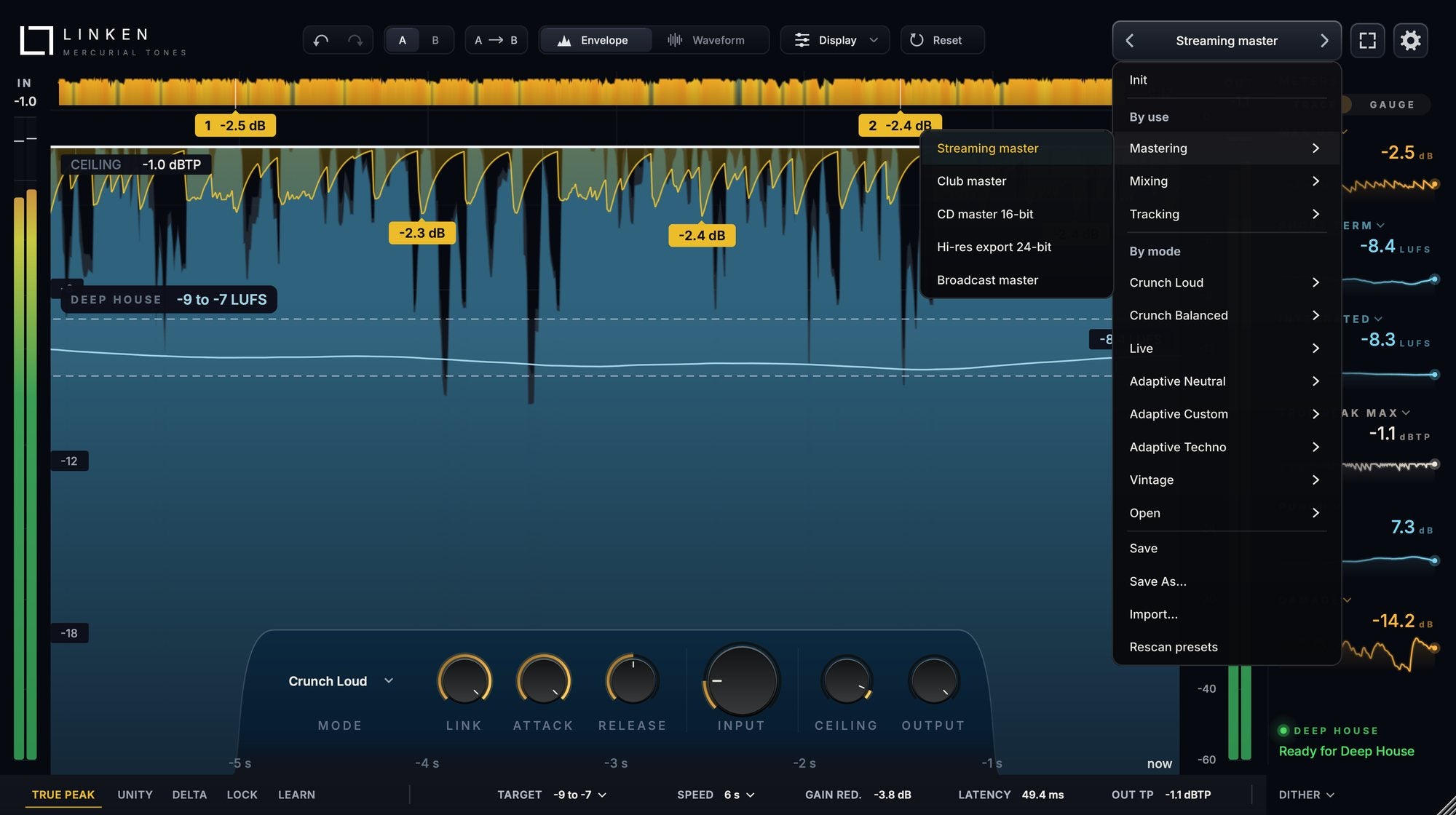
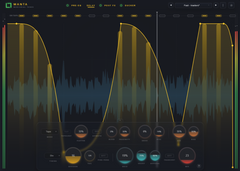
The large display shows your music and the gain reduction as it happens. The knobs sit in one panel below it, the meters run down the right side, and the bottom strip holds True Peak, the listening switches and your loudness target.
- Mode, Link, Attack and Release
- Input, Ceiling and Output
- Envelope and Waveform views
- Six meters, as traces or as gauges
- A/B compare, Undo and Redo
- Resizable from 75 % to 200 %
Works with your DAW
VST3 and Audio Unit, plus AAX for Pro Tools.
Eight modes
Choose how the loudness feels.
Every mode keeps your track under the ceiling. They differ in how the loudness feels, and there is no right one: try them on your track and choose by ear. Crunch, Adaptive, Vintage and Open switch at once, even while the music plays.
Crunch
Clips and limits for dense, punchy masters, and keeps drums and transients exciting. Two voicings of the same idea. Link sets how much a peak on one side turns down the other.
- Crunch Loud
- Crunch Balanced
Adaptive
Limits in four bands, so the bass, the vocal and the top keep their place.
- Adaptive NeutralEqual shares
- Adaptive CustomYour shares
- Adaptive TechnoProtects the bass
Vintage and Open
Two more limiting characters. Both are fully stereo linked.
- Vintage
- Open
Live
Cuts the delay to about 5 ms, so you can record and monitor through the limiter. The other modes delay the audio by about 50 ms, which your DAW compensates for during playback.
- Live

Adaptive Custom
Decide which range gives way first.
In Adaptive Custom four more knobs appear, one for each band. Each sets how much of the limiting that range takes. 100 % is an equal share. Lower protects the range, higher makes it give way first, from 50 to 150 %.

The display
See every hit.
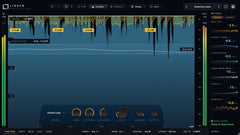
The Waveform view draws the output with its low, mid and high bands in colour. Whatever went above the ceiling is drawn in amber, so you see at a glance which hits were limited.
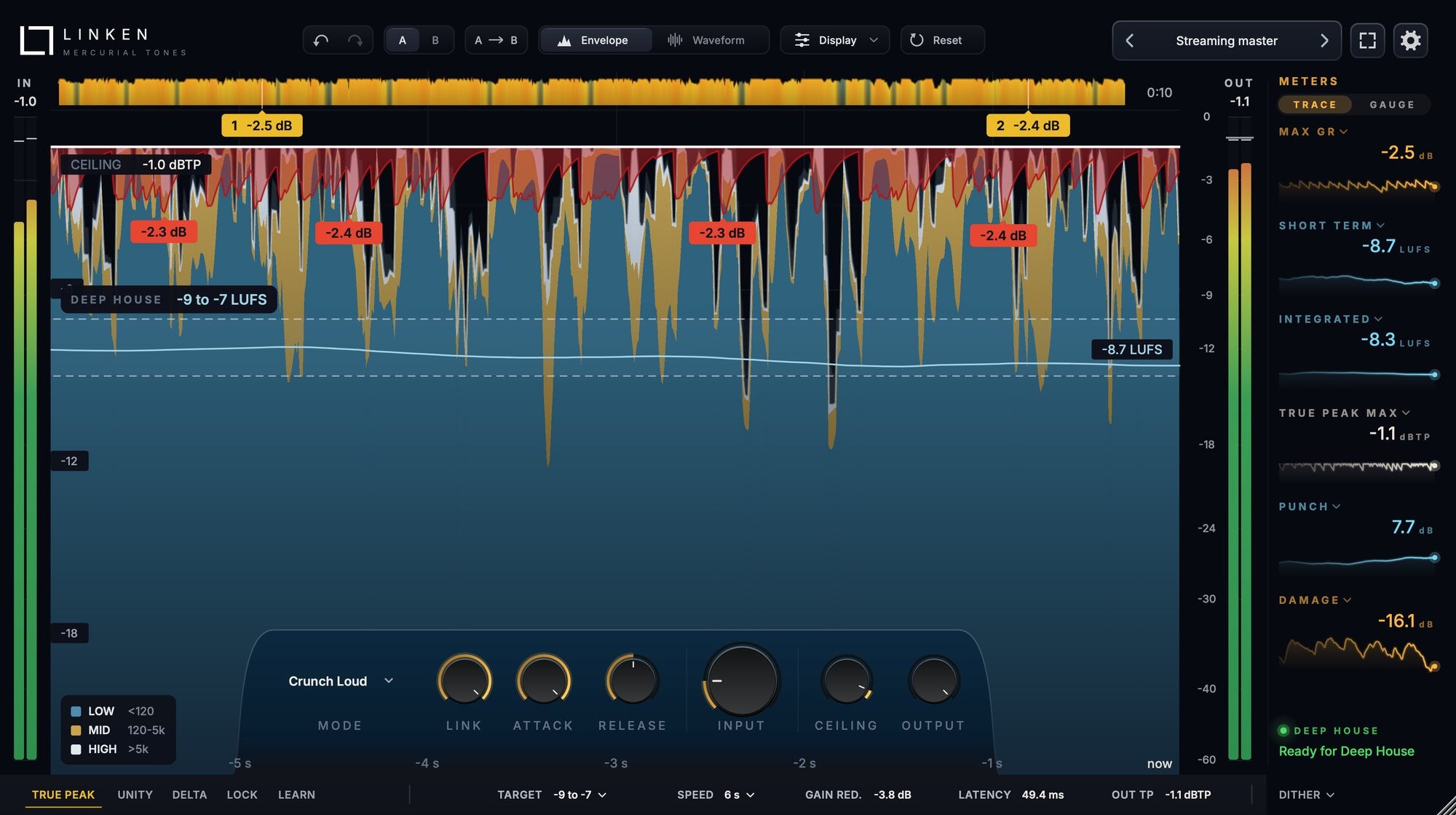
Input and output level, with the gain reduction hanging from the ceiling line. The same three colours work here too.
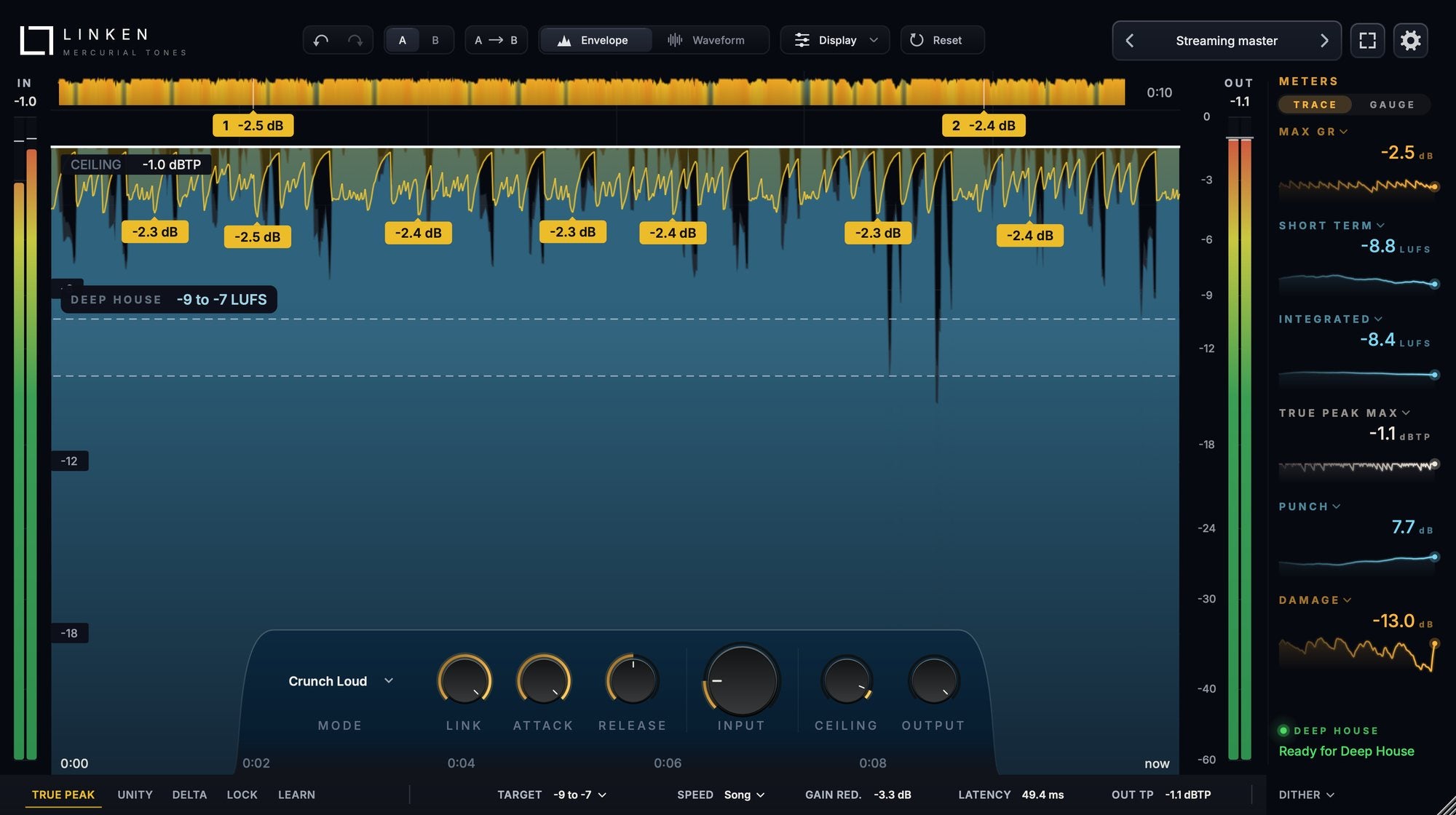
Set the window from 2 to 18 seconds, or to the whole song. The song map above the display marks where the limiter worked hardest.
The display is hardware accelerated, so your DAW stays smooth even with several instances open.
Loudness targets
Know when it is ready.
Pick a target for a streaming platform, for broadcast or for a Beatport genre. The display draws it as a dashed line, the loudness curve runs against it, and the meters tell you when the track is ready for release.
- Spotify
- -14LUFS
- Apple Music
- -16LUFS
- YouTube
- -14LUFS
- EBUBroadcast
- -23LUFS
- ATSCUS broadcast
- -24LUFS
- Beatport genres43 genres, each with its own range. Deep House is -9 to -7 LUFS.
- 43Ranges
- CustomAny value you choose
- -30 to -4LUFS
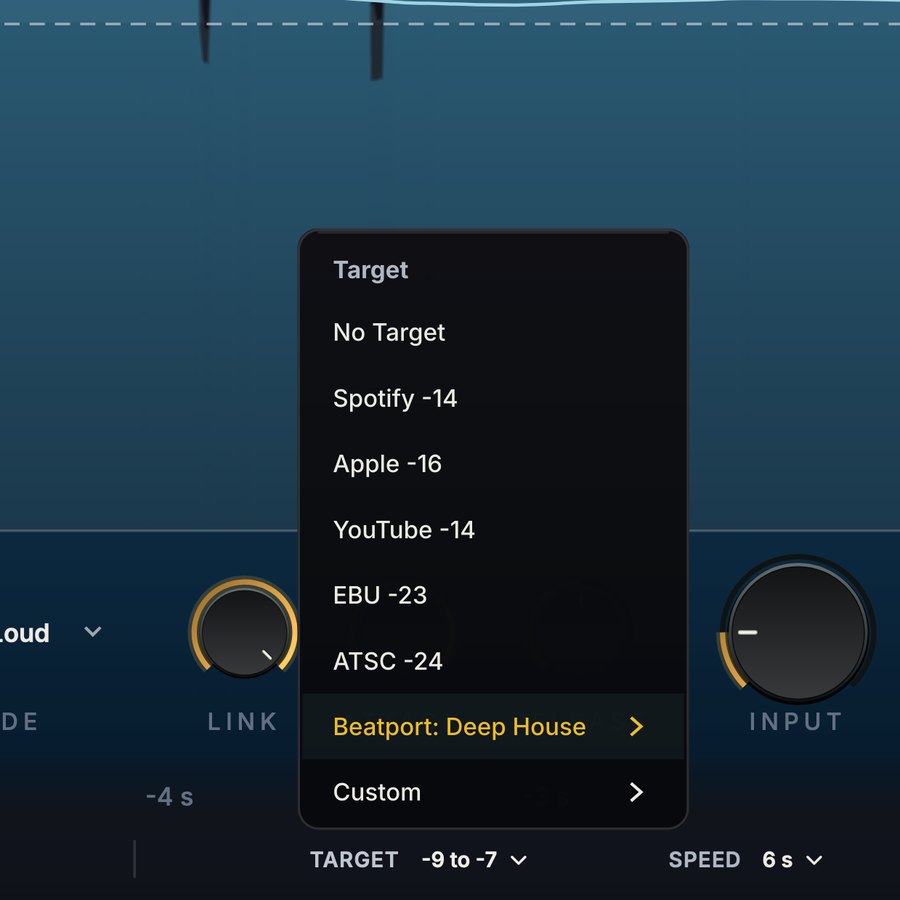
Let Linken set the input
Play the loudest part of your song and press Learn. Linken listens for about 5 seconds, then sets Input so the track lands near your target. For a quieter target it lowers Output instead. It never changes your ceiling or True Peak.
Green when it fits
The line under the meters turns green when the integrated loudness is within 1 LU of your target, or inside the range of a genre, and the true peak is under that platform's ceiling. If not, it says in plain words what to change.
The ready line is a guide for your ears and your release, not an official compliance measurement.
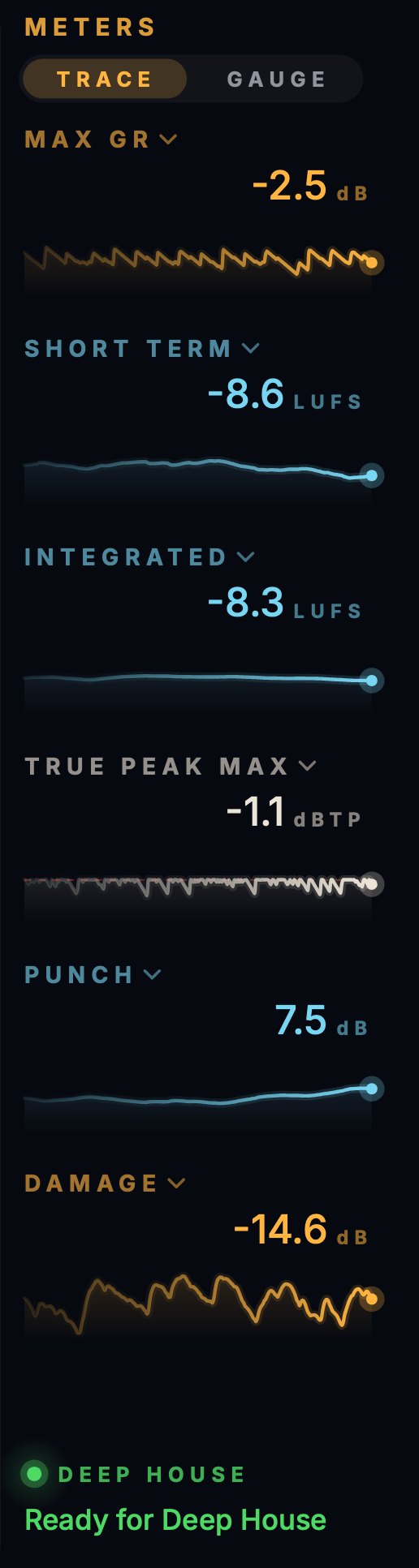
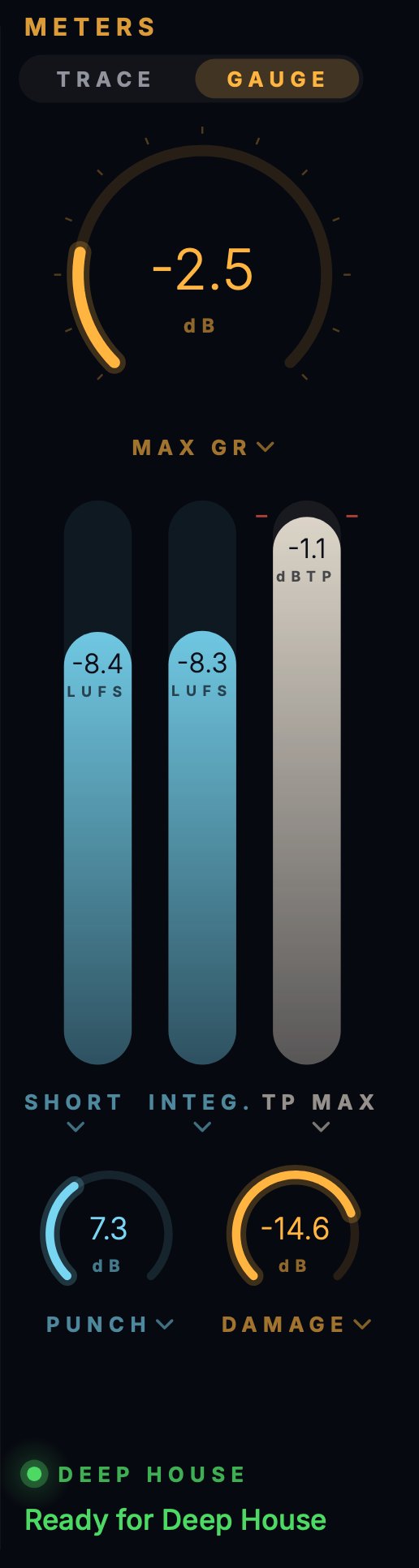
Meters
How loud, how clean, how much punch is left.
The column next to the display holds six meters. Click a meter's name to choose what it shows, and switch the whole column between Trace and Gauge.
- Punch
- How far the loudest peaks of the last 3 seconds stand above the loudness. Higher means more punch left in your track.
- Damage
- How loud the part the limiter removed is, compared with the output. Lower is cleaner.
- Integrated
- The loudness of everything played since the reset. This is the number streaming services compare.
Also available: Max GR, Median GR, Momentary, Short term, LRA, RMS, Sample peak max and True peak max.
Listening switches
Judge the sound, not the volume.
Louder always sounds better at first. The switches in the bottom strip let you compare at equal level and hear exactly what the limiter takes away.

Unity
Turns the output down by the input gain, so you hear the limiting at the level you started from.
Delta
Plays only what the limiter takes away. If you hear your drums or your vocal clearly in Delta, you are limiting too hard.
True Peak
The ceiling also catches the peaks that appear between samples when your track is converted, streamed or played back.
- Bypass is time aligned, so you compare without a jump
- Lock keeps your ceiling and output when you load a preset
- Dither for 24-bit and 16-bit export, Flat or Shaped
Factory presets
Named by what they are for.
56 factory presets in nine banks. Eight starter presets are sorted by use, and every mode has its own folder. Loading a preset keeps your Input, so you compare presets at the gain you set.
Watch
Hear Linken on a track.
Alice pushes a track into Linken, switches modes, listens to the delta and compares it with another limiter. The video starts at the Linken part.
From our users
Loud, and they can see why.
Real words from producers testing Linken.
If Scepter was the new standard as a reference and analysis tool, I feel like this will be the new standard of what a complete limiter is all about.
Just... wow. I LOVE the targets. Beatport genre targets all the way down to Hard Techno is fantastic.
I spotted some heavy limiting on one impact, scrolled back, found it, fixed it. Fabulous.
Adaptive Techno is probably my favourite mode so far. I really like how solid and clean it keeps the low end while still getting the track loud.
No more struggling getting a project loud enough for release, with this tool it's just so easy and straightforward to get done.
There’s no guessing what is being limited.
Learn is FAST.
Just started my 14 day test for Linken. Damn, its crazy!
The details
Formats & trial.
Download, install, activate and update Linken through the Mercurial Tones Hub. Try the full plug-in free for 14 days.
- Modes
- Crunch Loud · Crunch Balanced · Adaptive Neutral · Adaptive Custom · Adaptive Techno · Vintage · Open · Live
- Input
- 0 to +24 dB
- Ceiling
- -12 to 0 dB · True Peak on or off
- Latency
- About 50 ms · about 5 ms in Live
- Targets
- Spotify · Apple Music · YouTube · EBU · ATSC · Beatport genres · Custom
- Dither
- 24-bit or 16-bit · Flat or Shaped
- Factory presets
- 56, in 9 banks
- macOS
- VST3 · Audio Unit · AAX (Pro Tools) · macOS 11 or later · Apple Silicon & Intel
- Windows
- VST3 · AAX (Pro Tools) · Windows 10 64-bit or later
- Licence
- Linken serial or Mercurial Tones membership
- Complete Bundle
- Included
- Trial
- 14 days, full functionality
Mercurial Tones Hub
Install it. Try it. License it.
Linken is downloaded, installed, activated and updated through the Mercurial Tones Hub, on macOS and Windows.
Open the Hub
Install Linken from the Mercurial Tones Hub as VST3, Audio Unit or AAX.
Try it free
Use the full plug-in free for 14 days before you decide.
Make it yours
Unlock Linken with your serial, or with your Mercurial Tones membership.
Two ways to get Linken
Linken, yours to keep
One payment, every update.
Linken
Eight modes · True Peak · Loudness targets · macOS & Windows
Or get all 18 plug-ins for €199,90 · Complete Bundle →
Not sure yet? Try Linken free for 14 days, full version.
One-time purchase · Download, trial and activation through the Mercurial Tones Hub
The Membership
Linken and every other Mercurial Tones plugin in your sessions, every update, every new release — plus 100 credits every month.
or €14,99 month to month
Worth €926,70 a year bought separately