Diffusal
Stereo width, band by band.
A multiband stereo imager. Set the width of up to four bands, create width from mono or narrow material, and see the result on the display. Everything Diffusal adds cancels when the mix is summed to mono, so mono playback is exactly the original.
Black Friday price €34,30 · applied at checkout
Or get all 18 plug-ins for €199,90 · Complete Bundle →
Check your inbox in a few minutes.
If this address already has a Mercurial Tones account, your Diffusal trial link is on its way. Nothing there? Check the spelling and try again.
14-day free trial of the full version · Launch price · macOS & Windows
Wide where you want it, centred where it counts.
And the same in mono as before.
The interface
The whole stereo picture on one page.
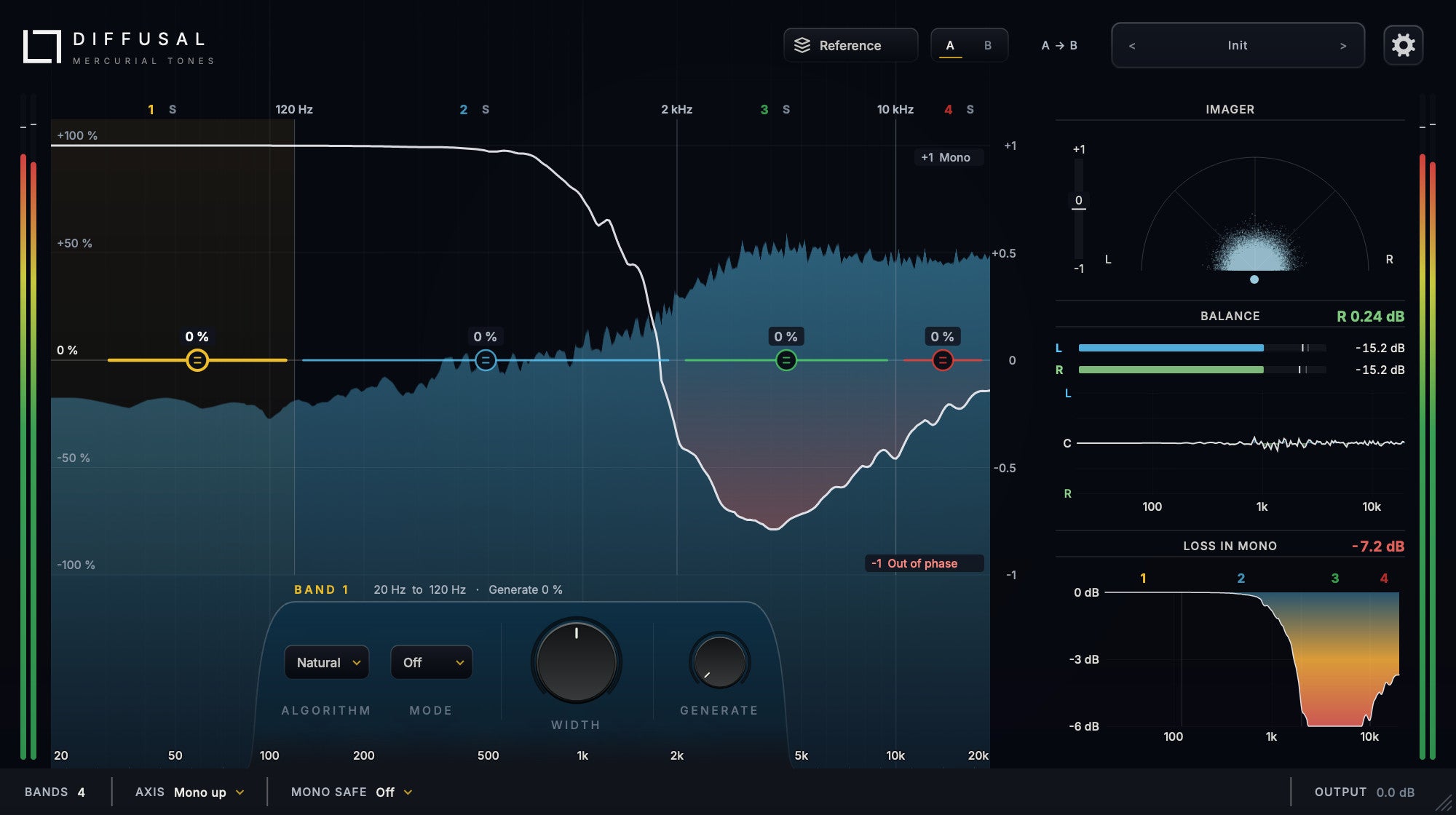
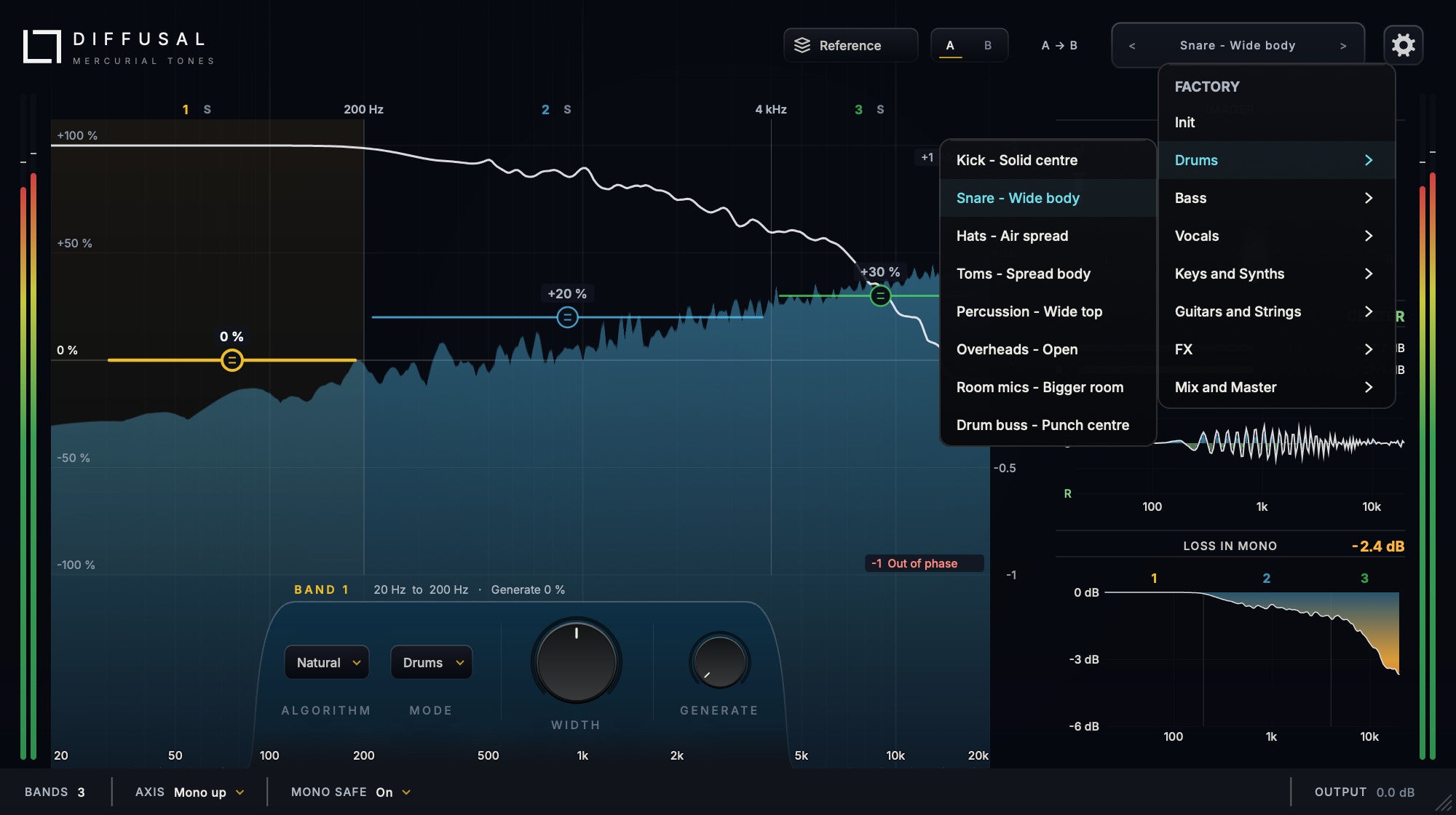
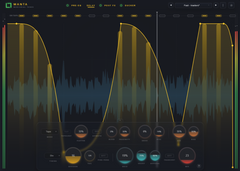
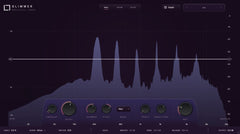
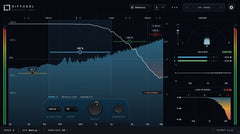
The display shows the spectrum of your sound with its stereo width drawn across it as a single line. Each band has one coloured handle. Next to it, three views show the image, the balance and what a mono sum would lose.
- Up to four bands with draggable splits
- Width and Generate for every band
- Five algorithms and six specialist modes
- Imager, Balance and Loss in mono views
- Input and output meters, A/B compare
Works with your DAW
Width you can see
One line shows how wide it is.
The width line runs across the whole spectrum, so you see at a glance which frequencies are wide, which are narrow and which sit in the centre. Where the sound goes out of phase, the display marks it in red. Each band has its own handle: set WIDTH from -100 %, which is mono, up to +100 %.
- WIDTH works on the stereo that is already in your sound
- From -100 % (mono) to +100 % for each band
- Up to four bands, with splits you can drag
- Out of phase regions shown in red
Generate that survives mono
Width where there was none.
WIDTH can only work with stereo that is already there. GENERATE creates width from mono or narrow material. Everything Diffusal adds cancels when the mix is summed to mono, so mono playback is exactly the original.
Width
Narrow a band down to mono at -100 % or open it up to +100 %.
Generate
Creates new width in a band, also where the sound is mono.
Mono Safe
Holds added width back before a band goes out of phase.
Hear the difference
Mono in, stereo out.
Pick an example, press play and switch between Before and After while it runs. Every example is level-matched, and summed to mono the After is the same as the Before.
Generate: mono to stereo
Width: stereo sources
Factory presets
All source material is from Mercurial Tones sample packs.
Algorithms
Five ways to build width.
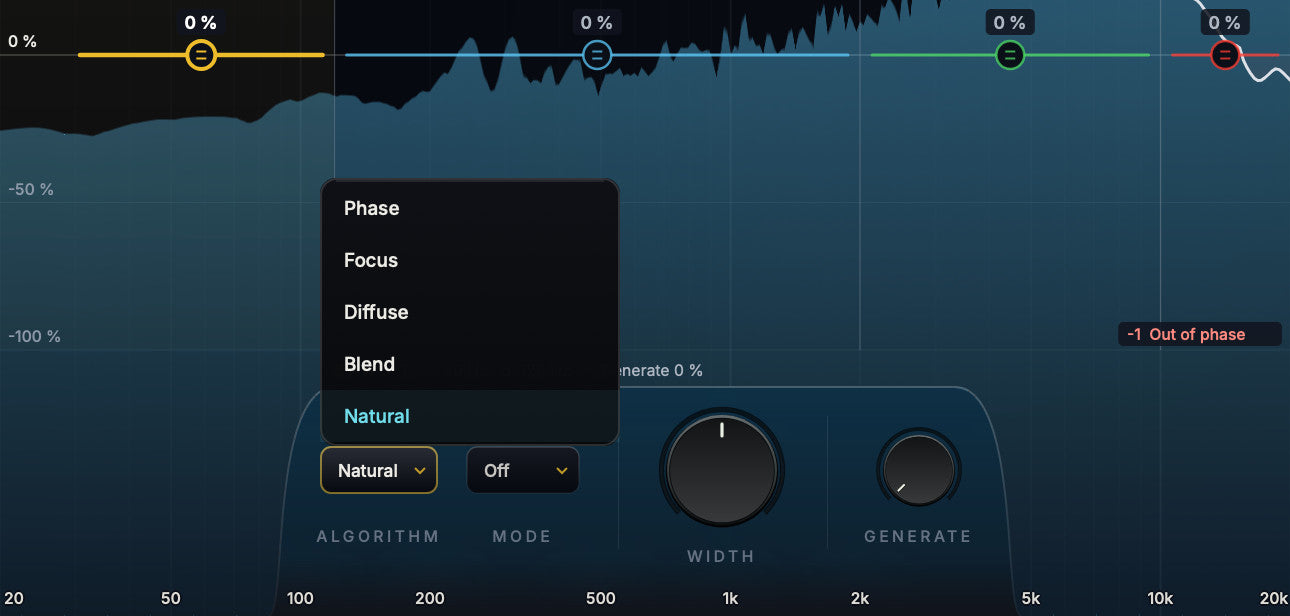
Diffusal has five algorithms: Natural, Focus, Diffuse, Blend and Phase. Natural is the default.
Natural
Even in tone, with a short tail. Nothing lands on or before a hit.
Diffuse
A roomier width for pads and rooms.
No pre-ringing
The default algorithm adds no pre-ringing on hits. Latency is fixed at 10 ms.
Specialist modes
Keep the centre where it belongs.
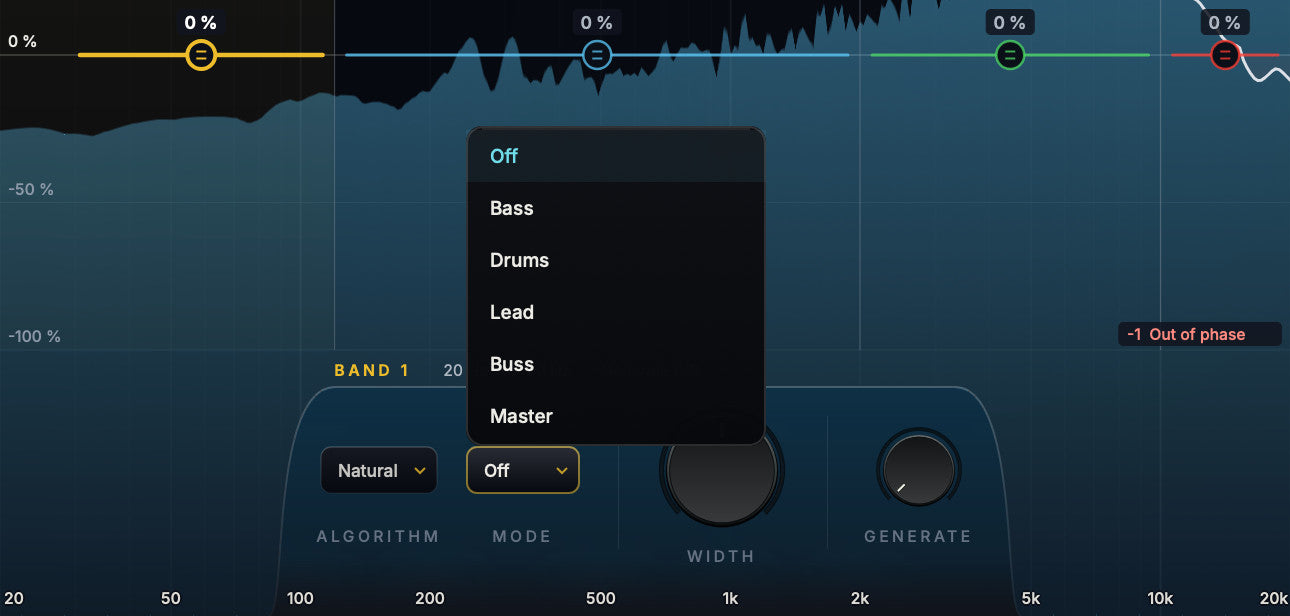
A specialist mode decides which part of the sound stays centred while the rest widens. There are six: Off, Bass, Drums, Lead, Buss and Master.
Bass
The lows keep their image. Only the harmonics widen.
Drums
Hits stay dry and centred. The body widens.
Lead
The fundamental range stays centred.
Meters that tell you what mono loses
Check mono before you bounce.
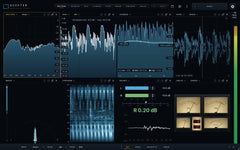
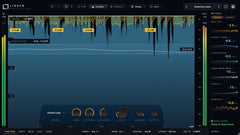
Three views sit next to the display, with input and output meters on either side. Together they show where the image sits, whether it leans, and what a mono sum would cost.
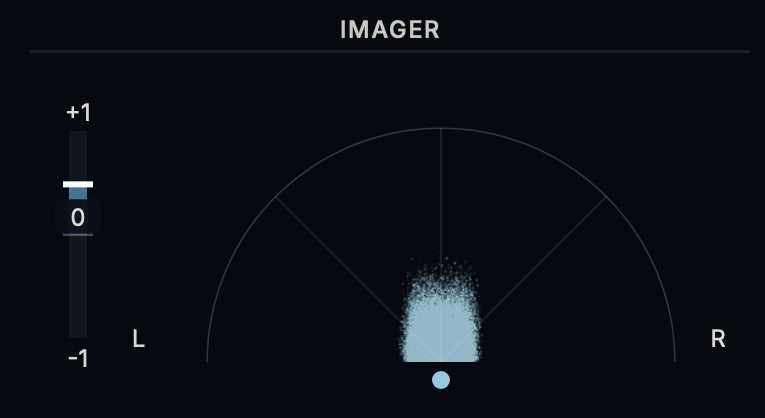
A scope of the stereo image, with correlation.
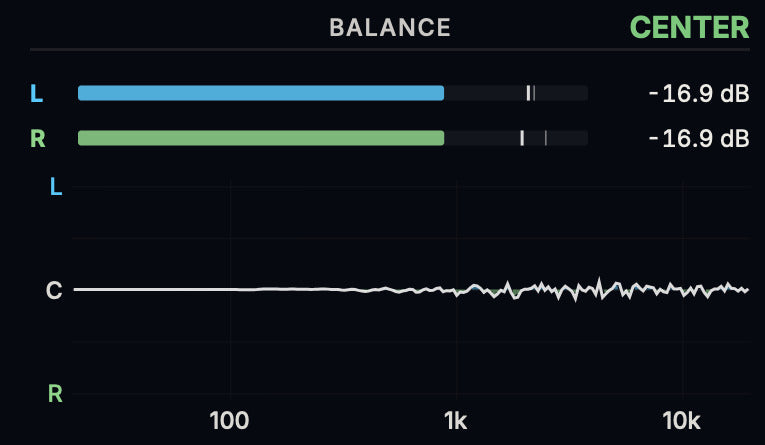
Left against right for each frequency.
How many dB each region loses when it is summed.
Presets by instrument
Start from the source.
30 factory presets, sorted by instrument, plus a gentle default. Compare any two settings with A/B.
Watch
See Diffusal at work.
Alice widens a track with Width and Generate, tries the algorithms and folds it to mono to check what is left. The video starts at the Diffusal part.
From our users
The word they keep using is natural.
Real words from producers testing Diffusal.
This is freaking gold. And you know me, I'm honest. Best widener I've ever heard.
It doesn’t sound over processed or destructive to the tone like many others.
Generate is fantastic on mono material. It creates a really wide and immersive image without sounding artificial or phasey.
Everything also collapsed back to mono really well during my testing. No strange cancellations or funny tonal changes.
This is now officially my standard image widener. And it's not even CLOSE.
With Diffusal, we can choose which bands we want to be affected most! Love that!
There is this one song with just a little bit that is out of phase… with this, I was able to, in about 3 seconds go in and solve that.
This is a BEAUTIFUL sounding imager.
The details
Formats & trial.
Diffusal is installed and licensed through the Mercurial Tones Hub. Try it free for 14 days.
- Bands
- Up to 4, with draggable splits
- Per band
- Width, -100 % (mono) to +100 % · Generate
- Algorithms
- Natural · Focus · Diffuse · Blend · Phase
- Specialist modes
- Off · Bass · Drums · Lead · Buss · Master
- Views
- Imager with correlation · Balance · Loss in mono
- Factory presets
- 30, sorted by instrument, plus a gentle default
- Latency
- Fixed, 10 ms
- macOS
- VST3 · Audio Unit · AAX · macOS 11 or later · Apple Silicon & Intel
- Windows
- VST3 · AAX · Windows 10 or 11, 64-bit
- Activation
- Mercurial Tones Hub
- Trial
- 14 days
Mercurial Tones Hub
Install it. Try it. License it.
Diffusal is installed and licensed through the Mercurial Tones Hub, on macOS and Windows.
Open the Hub
Install Diffusal from the Mercurial Tones Hub as VST3, Audio Unit or AAX.
Try it free
Use Diffusal free for 14 days before you decide.
Make it yours
Buy Diffusal and the Hub licenses it on your computer.
Two ways to get Diffusal
Diffusal, yours to keep
One payment, every update.
Diffusal
Four bands · Width & Generate · macOS & Windows
Or get all 18 plug-ins for €199,90 · Complete Bundle →
Not sure yet? Try Diffusal free for 14 days, full version.
One-time purchase · Download, trial and activation through the Mercurial Tones Hub
The Membership
Diffusal and every other Mercurial Tones plugin in your sessions, every update, every new release — plus 100 credits every month.
or €14,99 month to month
Worth €926,70 a year bought separately