AEGIS / KICK SYNTHESIS
Aegis
Synthesis, sampling
and kick cloning.
Draw the pitch. Find the right transient. Add harmonics, distortion and movement—all inside one instrument.
Or get all 14 plug-ins for €399 · Complete Bundle →
macOS & Windows / 7-day free trial
Built for your workflow.
THE INSTRUMENT
A kick is more than its sub.
Start with synthesis, layer your own audio, or clone a reference. Then shape the harmonics, the drive and the space around it.
See Aegis in action.
See how Aegis brings kick synthesis, sample layers, rumble and kick cloning together in one instrument.
Pitch & amplitude
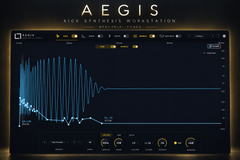
Draw directly over the waveform. A short, steep pitch fall gives a different impact to a longer descent; the amplitude envelope sets how the body and tail settle.
- Editable pitch & amplitude
- Independent Sub control
- Tempo sync
Four sample layers
Pair the synthesised Sub with four independent sample layers. Blend clicks, body and texture, tune the layers, then bypass them individually to hear what each contributes.
- Four sample layers
- Individual bypass
- Sample pitch & amplitude
HARM
Eight partials, four tuning families. Keep a harmonic series, stretch its spacing, explore drum resonances or set your own spacing in Manual. The examples move through all four with different partial balances.
- 8 partials
- Harmonic · Stretch · Drum · Manual
- Continuous inharmonicity
Dirth
Move through all six Dirth characters: Tube, Industrial, Gabber, Tight, Raw and Hot. Draw the drive envelope across the hit, and arrange distortion, filter and volume stages in your own order.
- Six Dirth characters
- Drawn drive envelopes
- Reorderable stages
Rumble
Extend the kick with tempo-based Delay, a pitched Roll sequence or Reverb. Shape the rhythm and tone of the tail, with independent control of the direct Kick output.
- Delay · Roll · Reverb
- Drawn rhythmic contours
- Independent Kick output
FX Studio
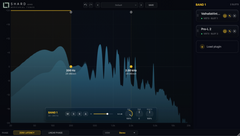
Build the finishing chain in the order you need. Shape the spectrum with EQ, control dynamics with compression and limiting, or colour the sound with nine saturation models.
- Nine saturation models
- Parametric EQ
- Compressor & limiter
Kick cloning
Start from a one-shot, or cut a kick from a full track. In From Track, select and audition a region, refine its boundaries, then analyse and apply the clone. Continue editing its pitch, amplitude and sample layers in Aegis.
- One Shot + From Track
- Region selection & audition
- Editable pitch & amplitude
YOUR WORKFLOW
Presets, samples
and references.
Save your own starting points, import supported Kick 2/3 presets and bring your sample library into the instrument. Render the finished sound to a 24-bit stereo WAV, including its effects tail.
Bring your library along.
Kick 2/3 preset import can map supported settings and sample layers into Aegis. Original samples must remain installed. Advanced settings can produce import warnings, and automatic factory-library lookup is currently available on macOS.
From producers
Built for kick obsessives.
Unedited comments from producers on YouTube. Follow any link to read the original.
hands down the best plugin ever for kick design, great job!
The accuracy of the cloned kicks is insane!…
bagged it, because it's awesome. you can create a loop with the entire mix and modulate the kick into it.
Damn, take my money and stop suprising!
Damn I'll have to get this one too 😅 Please stop making me buy plugins Alice 🤣
THE DETAILS
Formats & trial.
Download and manage Aegis through the Mercurial Tones Hub. Try the full instrument free for seven days.
- Instrument
- MIDI-triggered kick synthesiser
- Sound sources
- Synthesised Sub + up to 4 sample layers
- macOS formats
- VST3 · Audio Unit · Standalone
- Windows formats
- VST3 · Standalone
- Sample formats
- WAV · AIFF · FLAC
- Audio export
- 24-bit stereo WAV, with effect tails
- Trial
- 7 days, full functionality
Available for macOS and Windows. Download the current installer and try Aegis through the Mercurial Tones Hub.
AEGIS
Your next kick starts here.
macOS & Windows · VST3 · Audio Unit · Standalone
Aegis, yours to keep
One payment, every update.
Or get all 14 plug-ins for €399 · Complete Bundle →
Start your 7-day free trialOne-time purchase
The Membership
Aegis and every other Mercurial Tones plugin in your sessions, every update, every new release — plus 100 credits every month.
or €14,99 month to month
Worth €798,70 a year bought separately